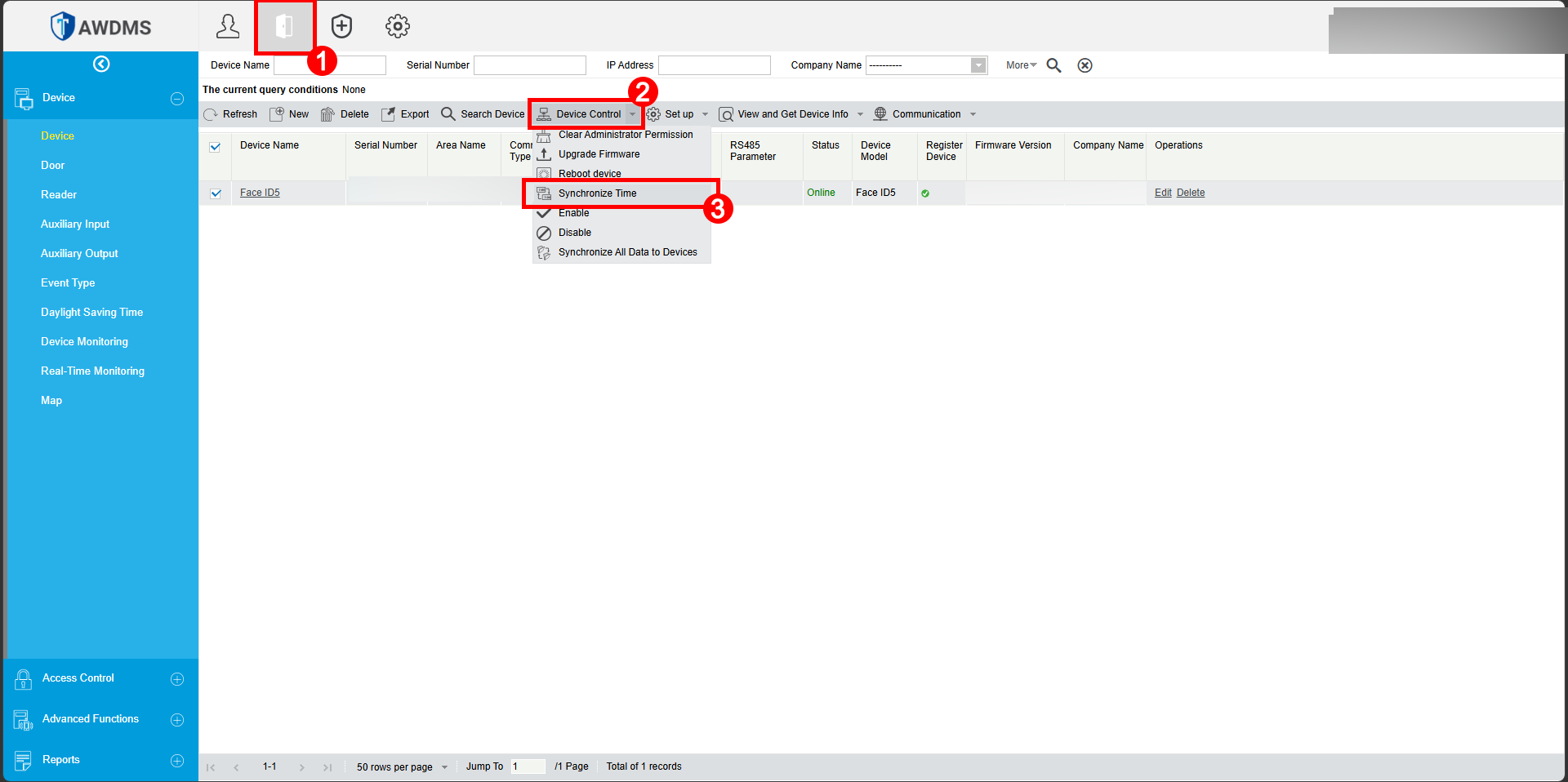
Step 1: Navigate to Synchronize Time
- Click the Home button.
- Select Device Control.
- Click Synchronize Time.
Step 2: Synchronize the Time
- Click the Synchronize button.
- Wait for the synchronization process to complete.
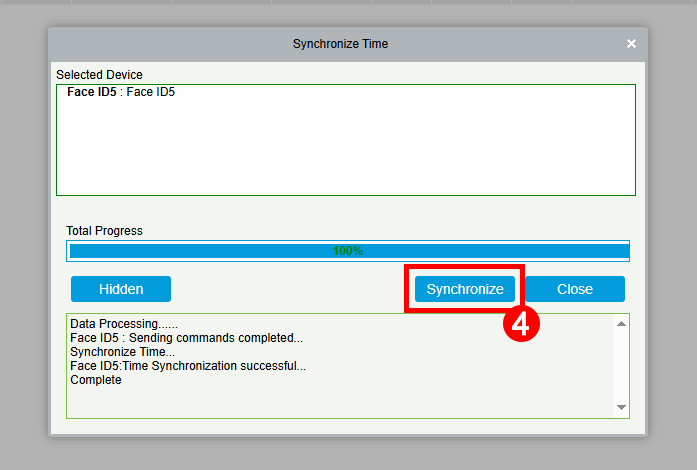
The device time will be synchronized successfully.
Credit By : Webstation


