Businesses with annual turnover or revenue below RM 3 million may be exempt from implementing e-Invoice, subject to the applicable exemption criteria.
If your company qualifies for the e-Invoice exemption and you need to disable the e-Invoice setting in AutoCount Accounting, follow the steps below.
Important: Check the Exemption Criteria #
The e-Invoice exemption does not apply if your company:
- Has a non-individual shareholder with annual turnover or revenue of RM3 million or above.
- Is a subsidiary of a holding company with annual turnover or revenue of RM3 million or above.
- Has a related company or joint venture with annual turnover or revenue of RM3 million or above.
Please ensure that your company meets the applicable e-Invoice exemption criteria before disabling the e-Invoice setting in AutoCount Accounting.
For the full requirements and latest information, please refer to the E-INVOICE SPECIFIC GUIDELINE (VERSION 4.9).
LHDN Reference:
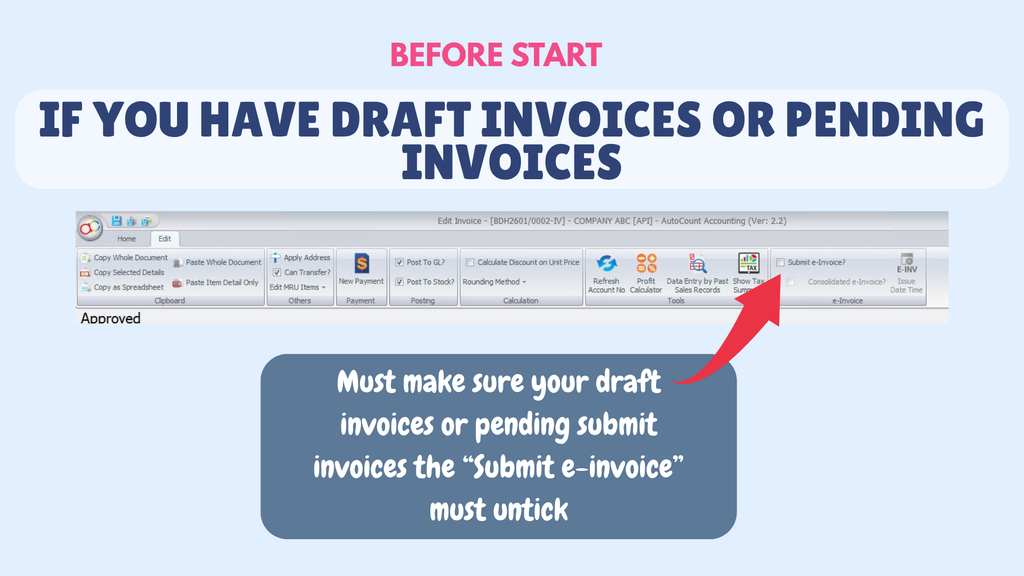
Note : If you have draft Invoice or pending Invoice, Must make sure your draft invoices or pending submit invoice the Submit e-Invoice must untick.
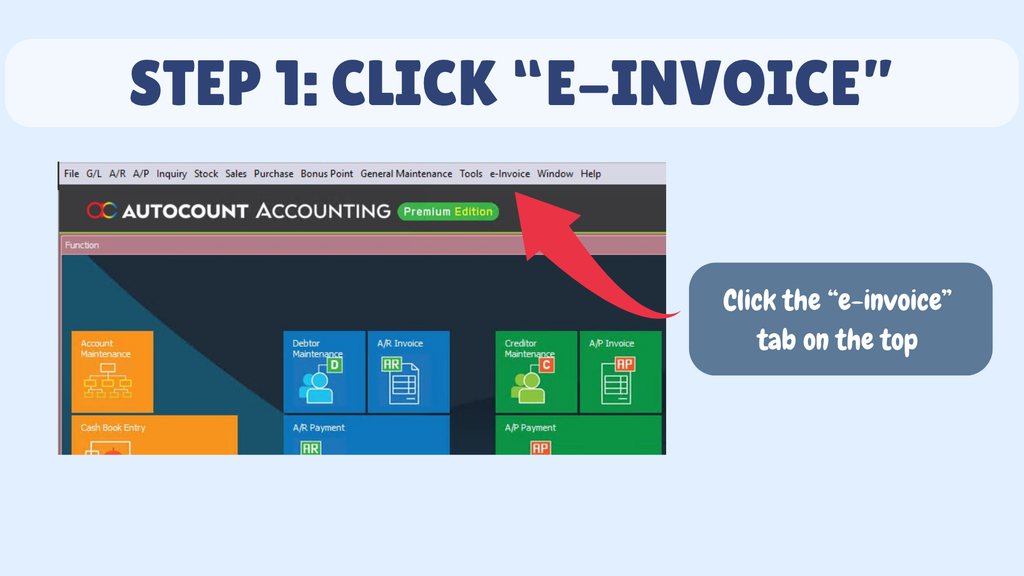
Step 1 : Click e-Invoice.
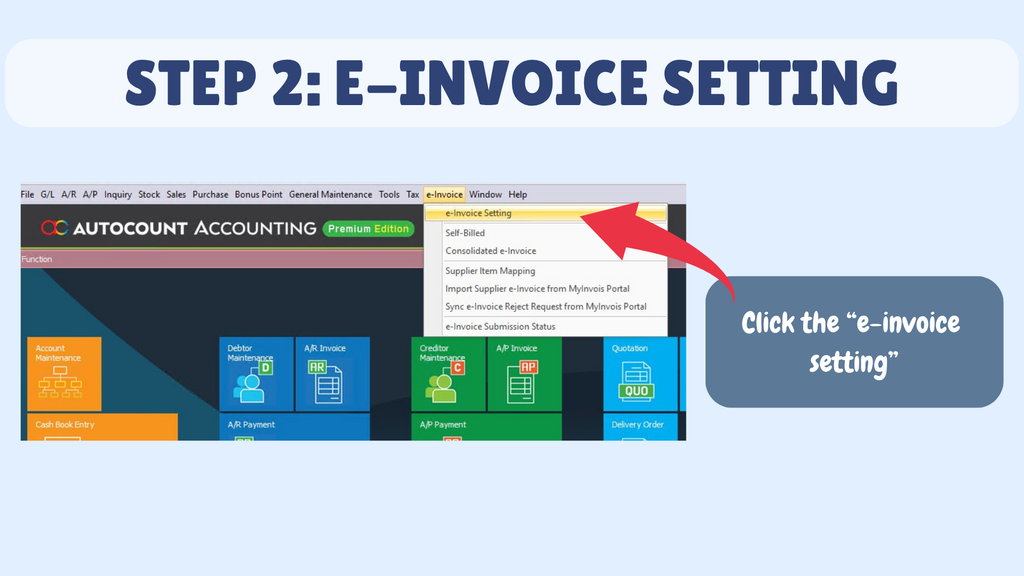
Step 2 : Click the e-Invoice Setting.
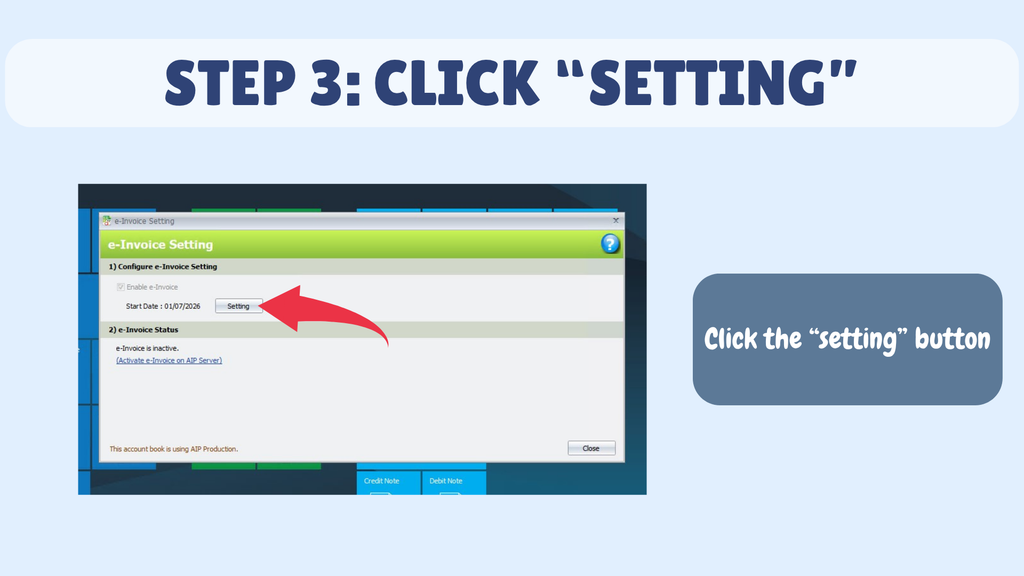
Step 3 : Click the Setting Button.
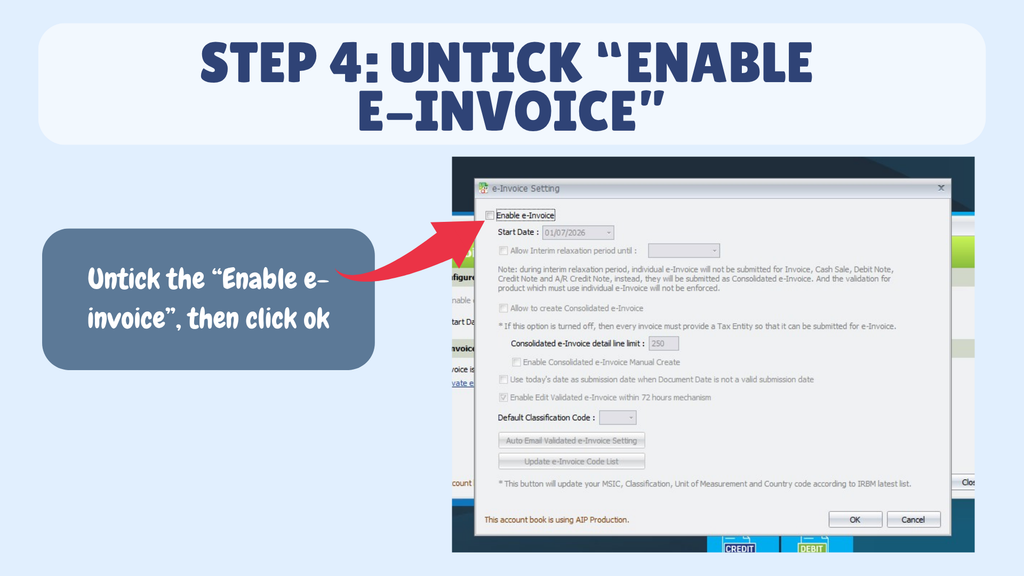
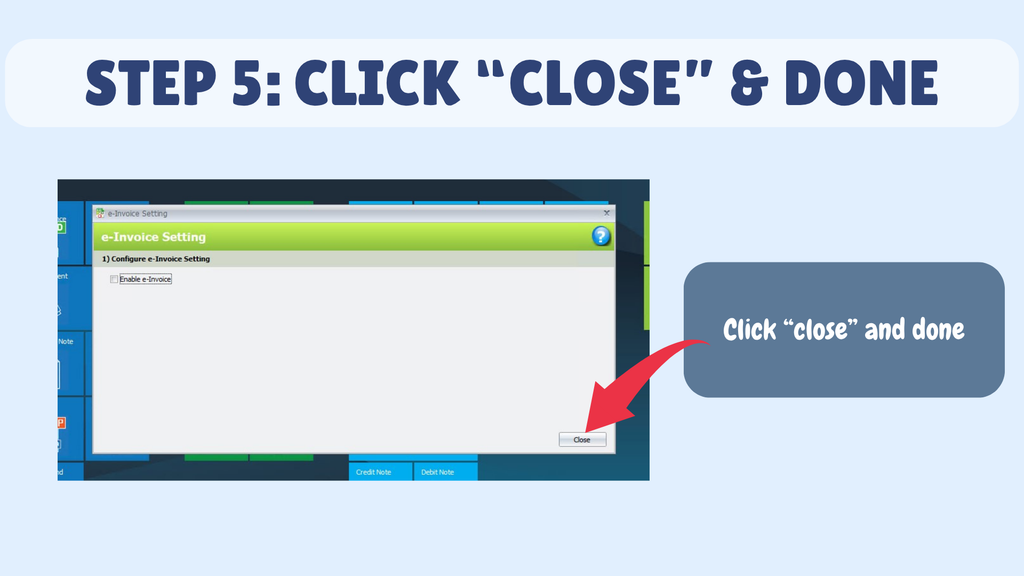
Step 4 : Untick Enable e-Invoice, then Click Ok.