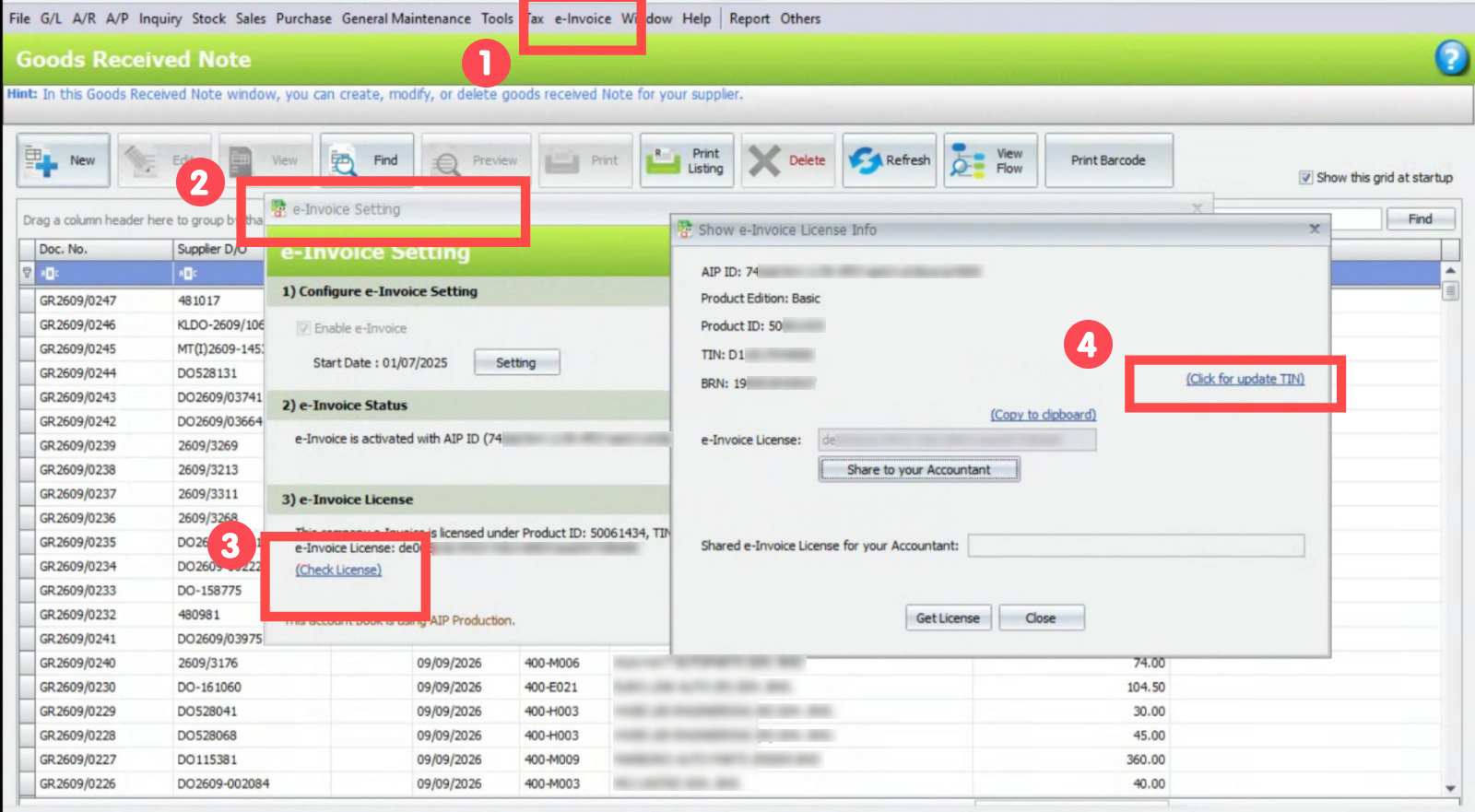
Go to E-Invoice → E-Invoice Setting → Check Licens, then click Update TIN.
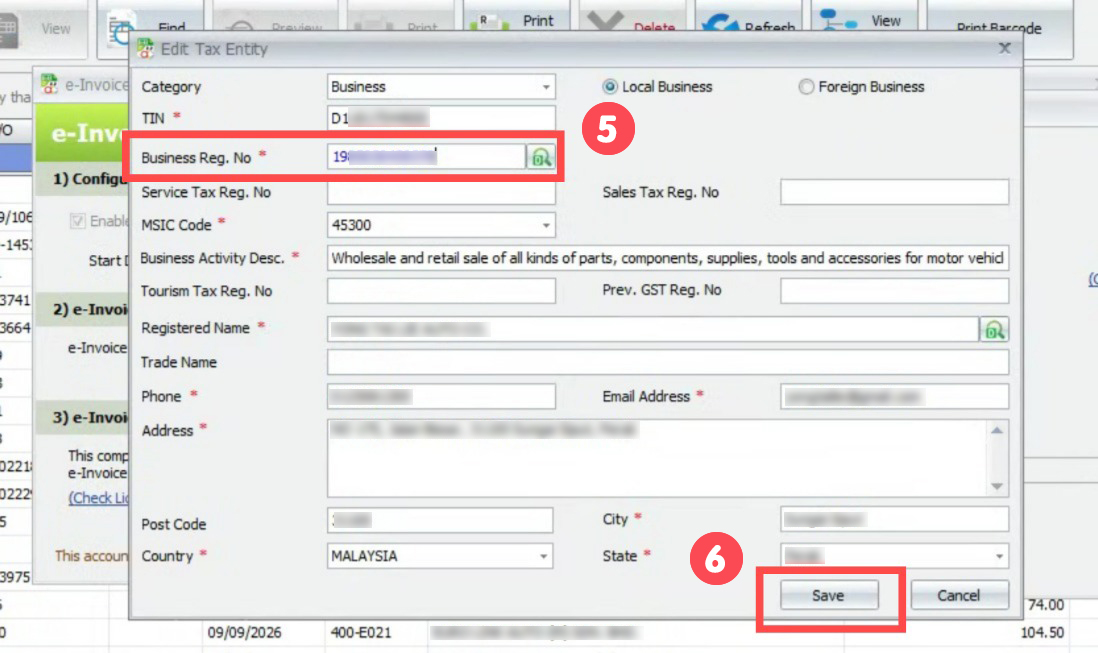
Edit the BRN Number, then click Save.
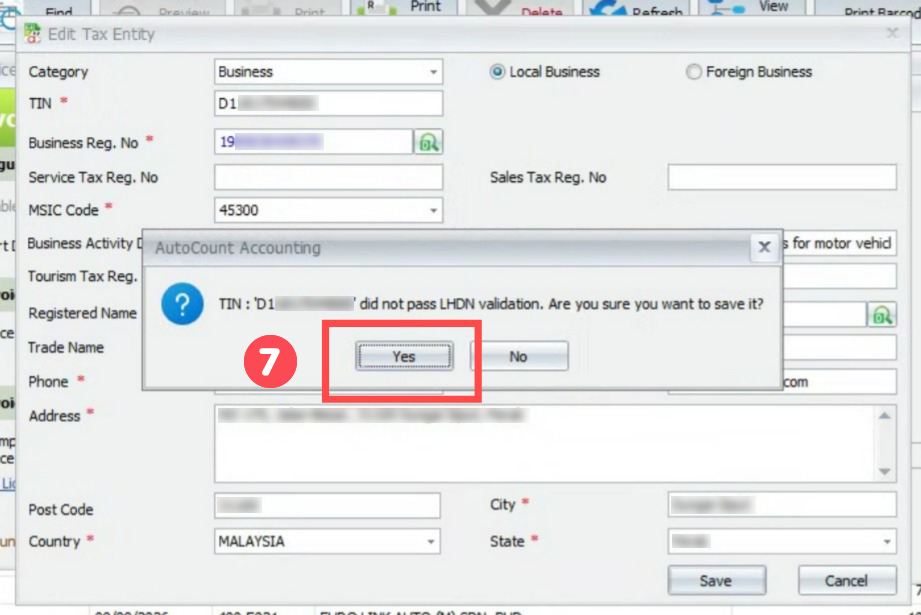
When prompted, click Yes.
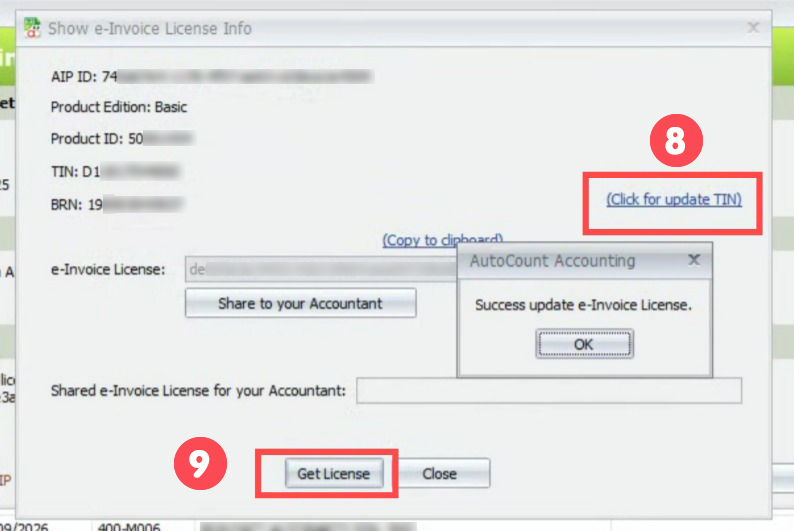
Click Update TIN again → edit the BRN Number → click Save → then click Get License to check which documents are invalid and try to resubmit them.
Credit By : Webstation


