- Open an administrative command prompt window as an administrator
- Type
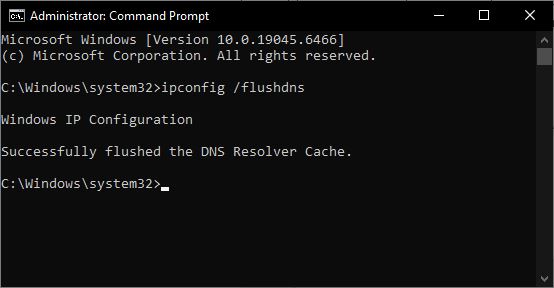
ipconfig /flushdnsand hit Enter - You should see – Windows IP Configuration. Successfully flushed the DNS Resolver Cache
- Exit CMD
- Your DNS cache should have been reset.
Credit By : Webstation


