UTF-8 is a character encoding standard used for electronic communication. Defined by the Unicode Standard, the name is derived from Unicode Transformation Format – 8-bit.
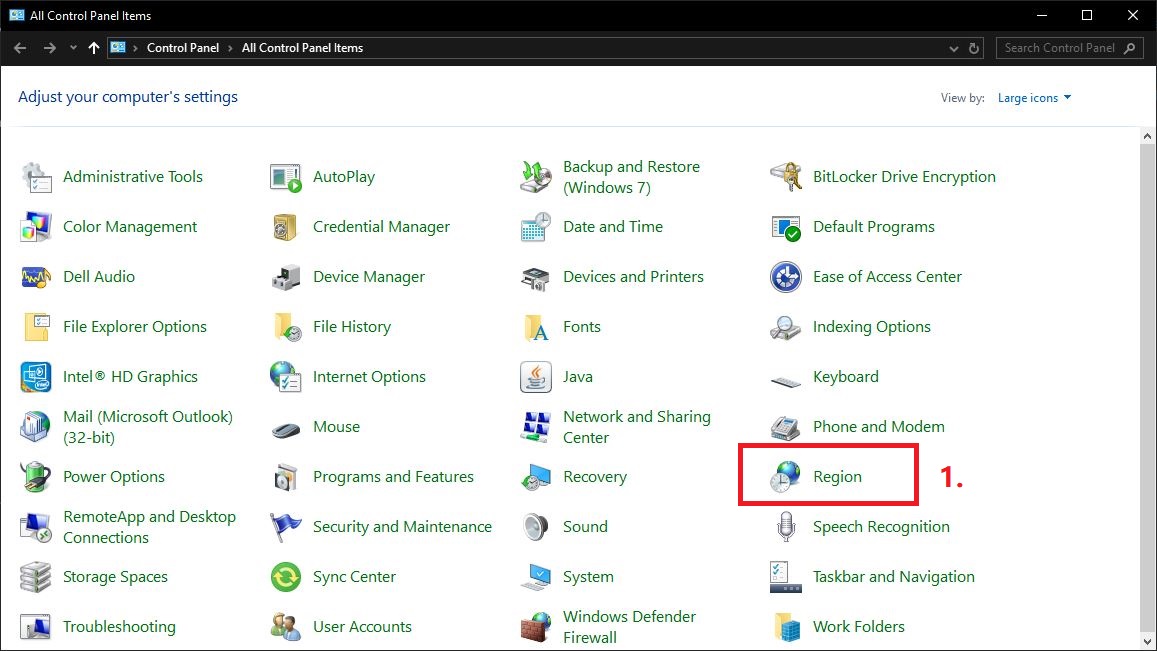
First go to Control Panel & Select Region.
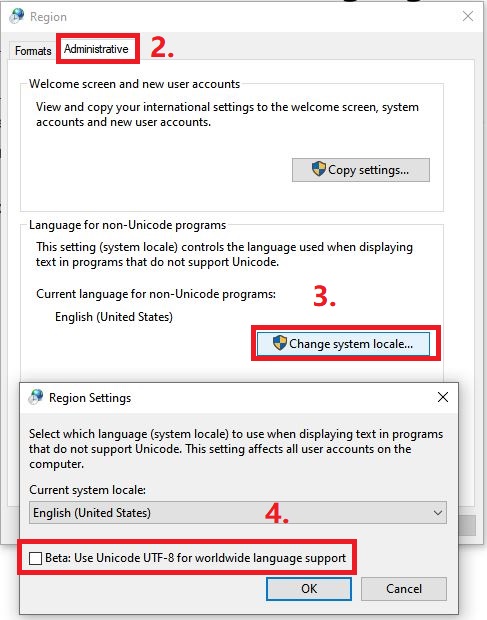
Go to Administrative > Change system locale… > untick the Beta: Use Unicode UTF-8 for worldwide language support.
Credit By : Webstation


