Table of Contents
VPN Setup – Main Outlet #
STEP 1: After installing the VPN, go to Settings.
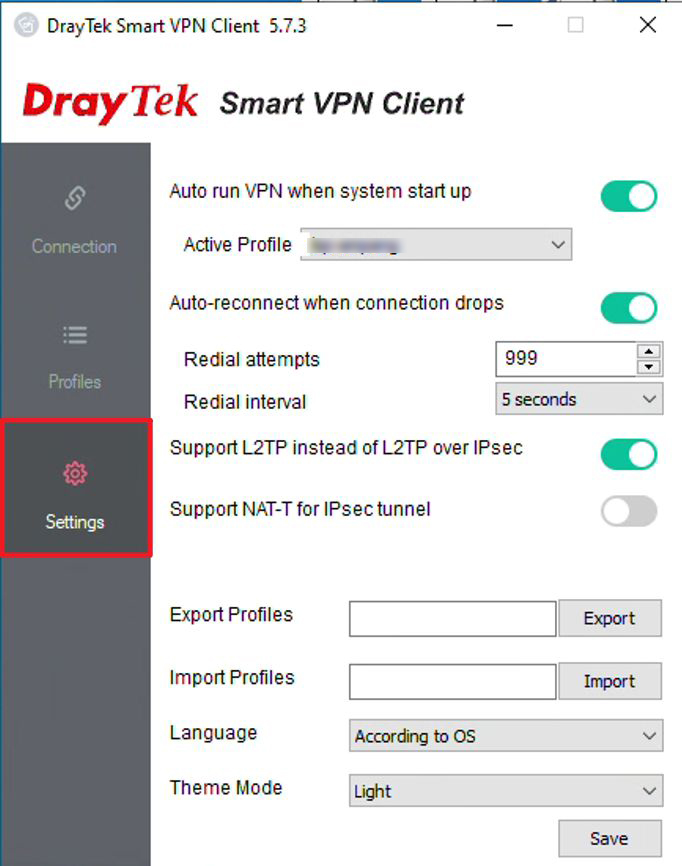
STEP 2: Enable Auto-run VPN when system starts up.
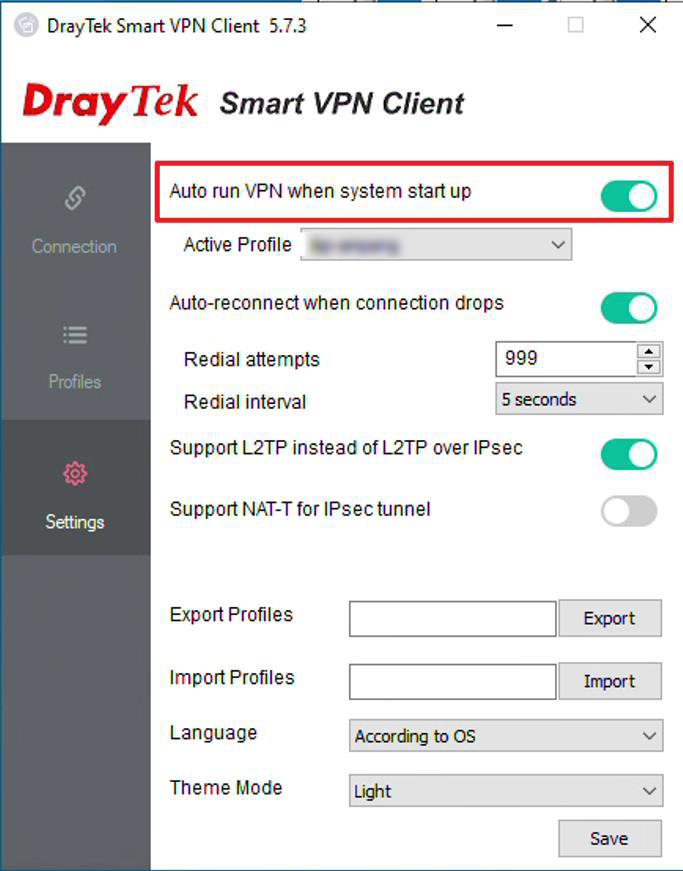
STEP 3: Enable Auto-reconnect when connection drops.
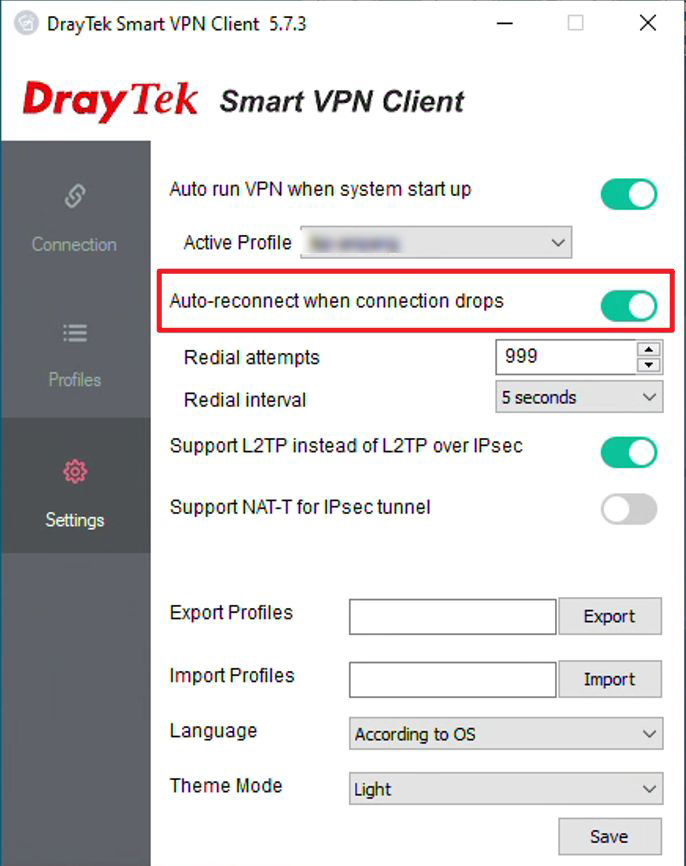
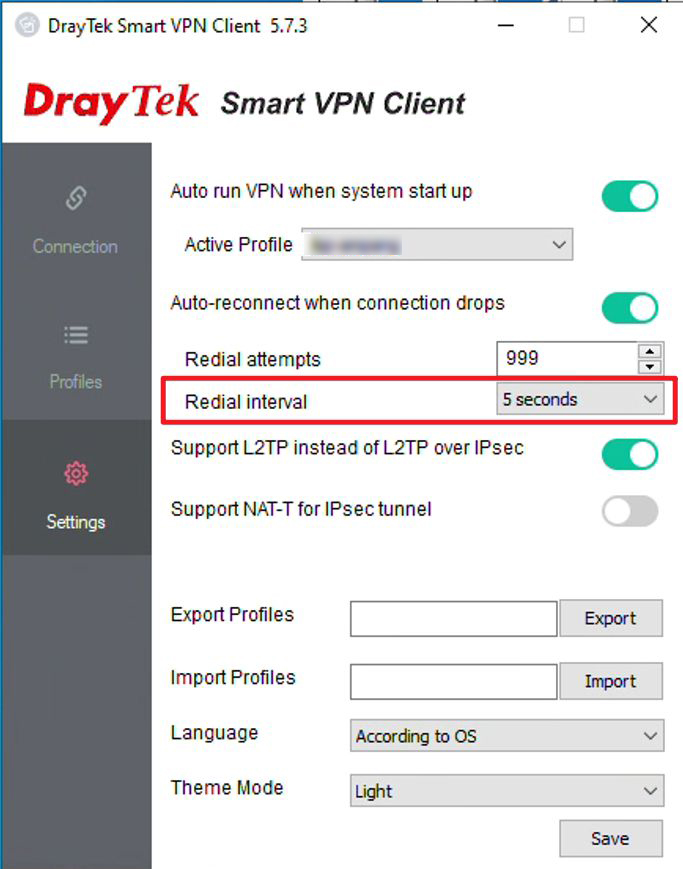
STEP 4: Set Redial Attempts to 999.
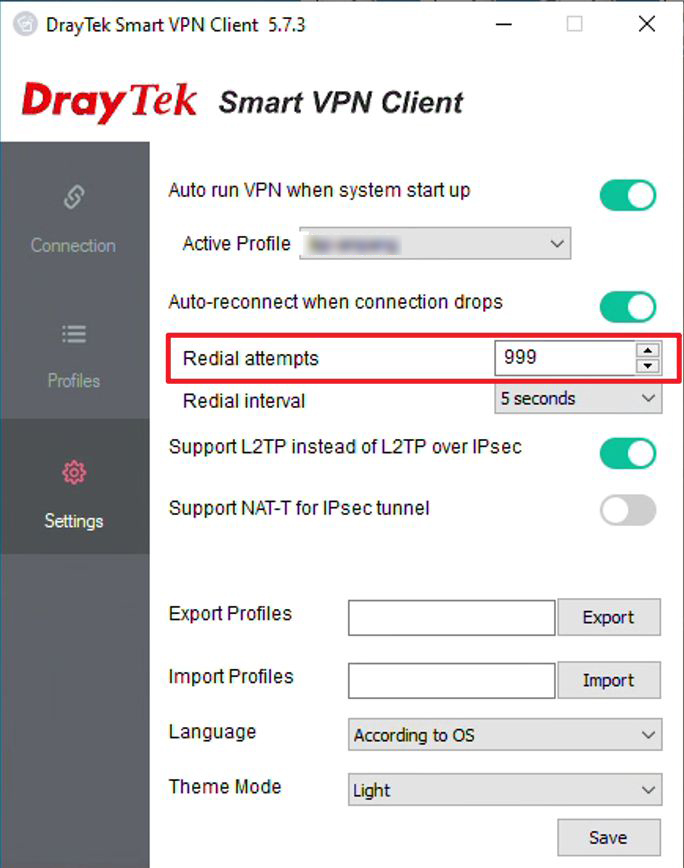
STEP 5: Set Redial Interval to 5 seconds.
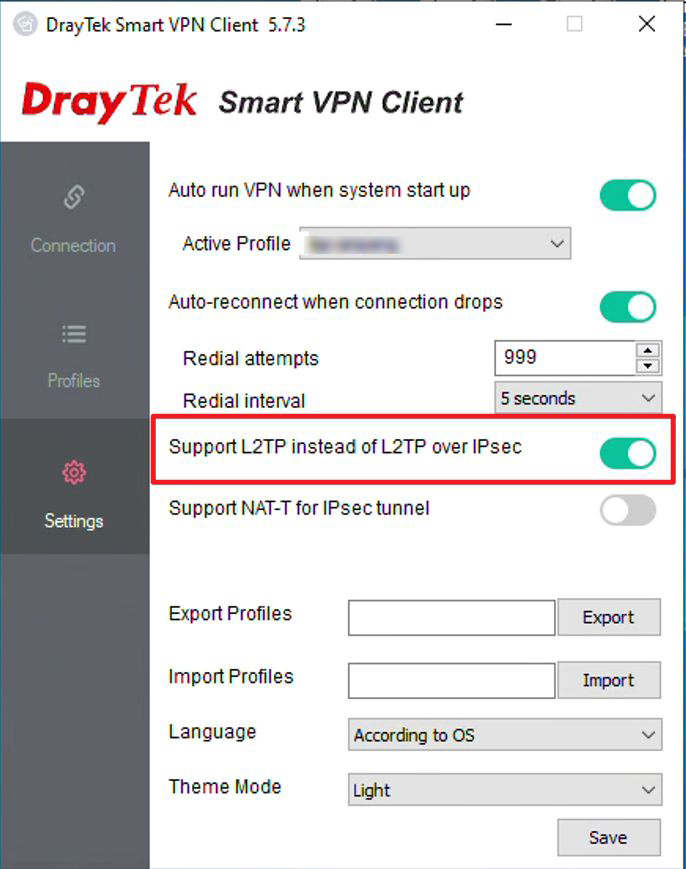
STEP 6: Enable Support L2TP instead of L2TP over IPsec.
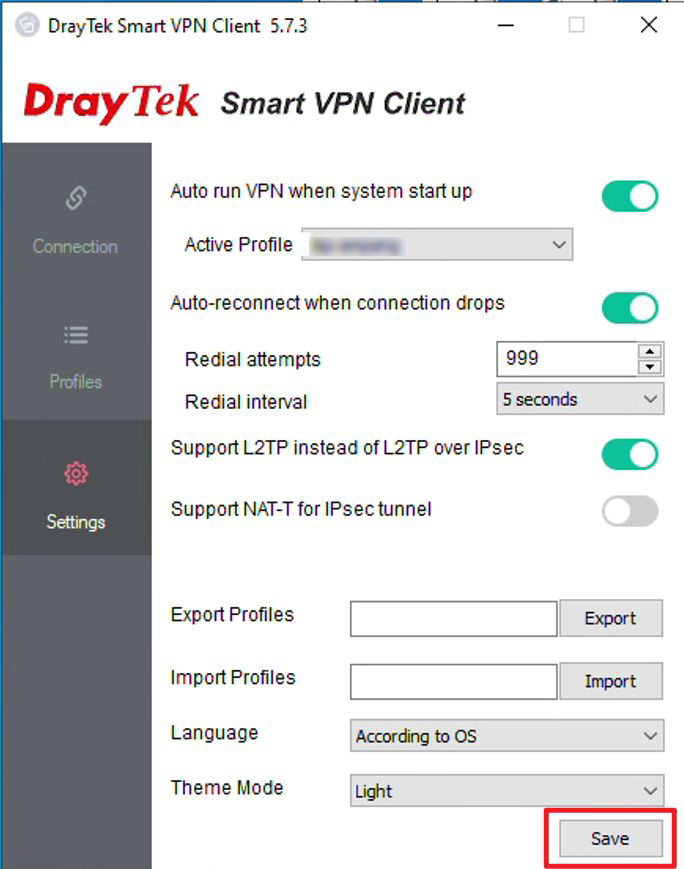
STEP 7: Click Save.
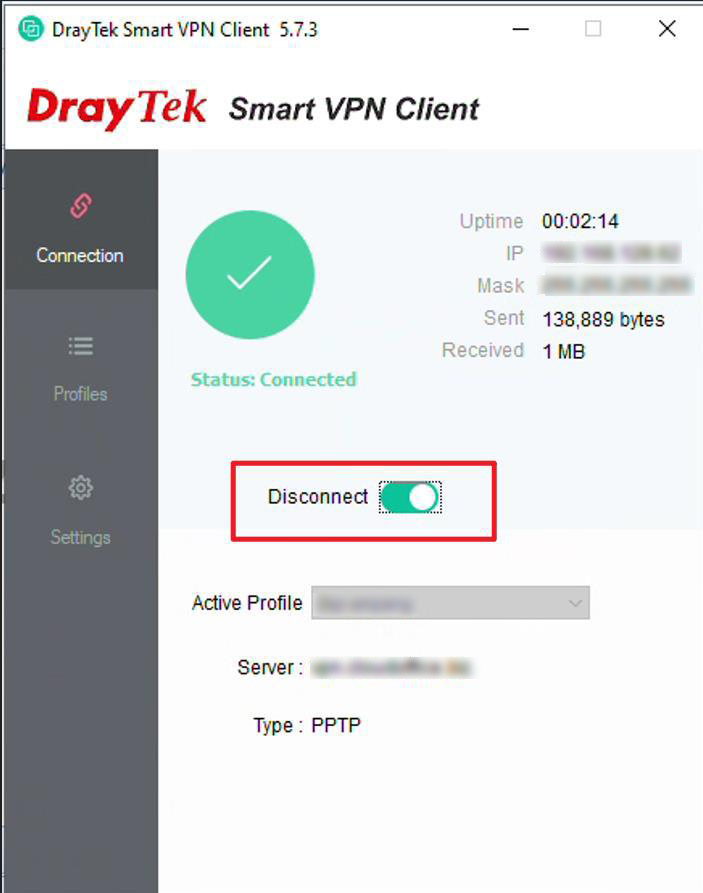
STEP 8: Connect to the VPN.
VPN Setup – Other Outlets #
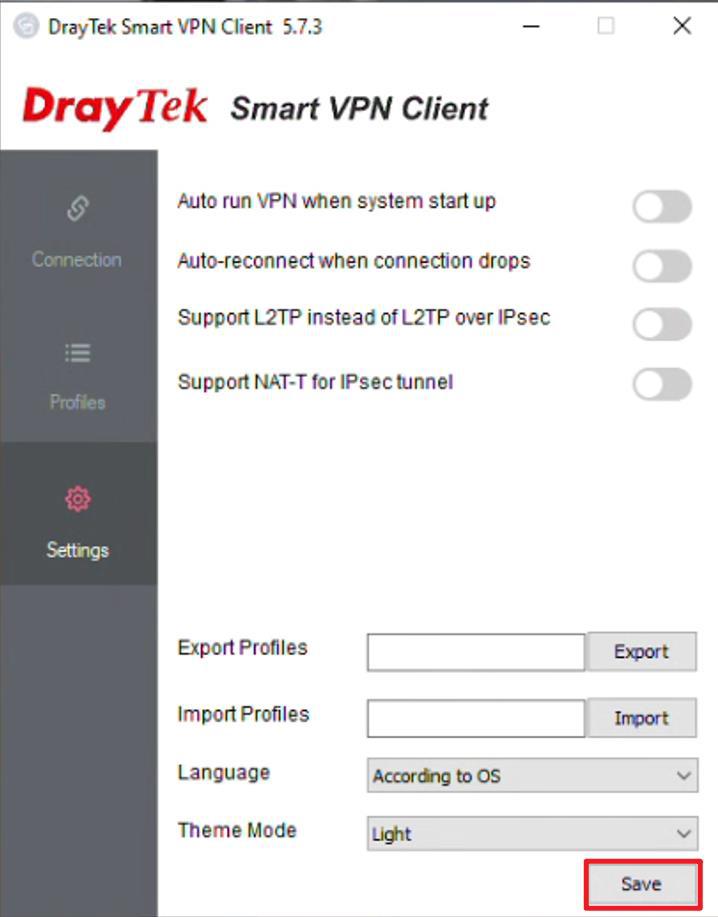
STEP 1: After installing the VPN, go to Settings.
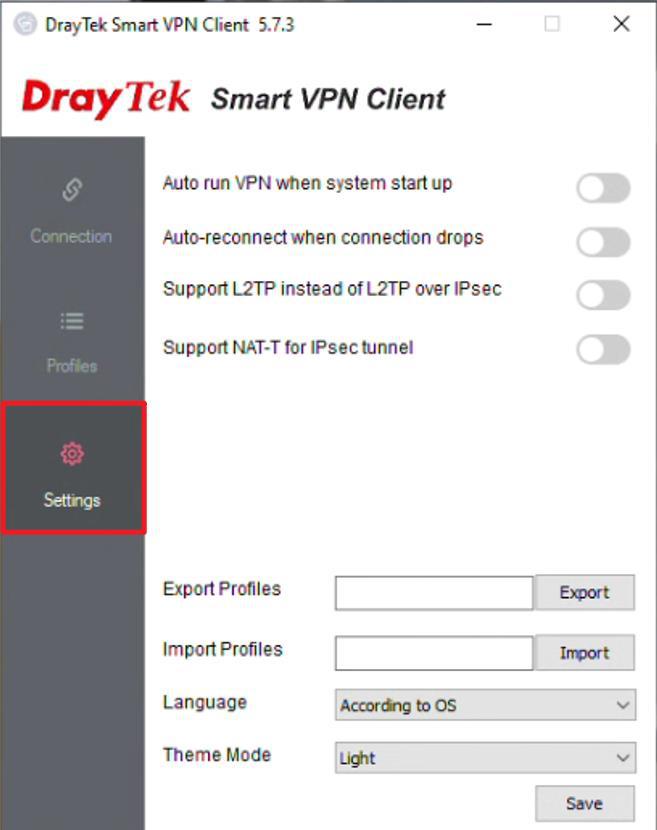
STEP 2: Enable Auto-run VPN when system starts up.
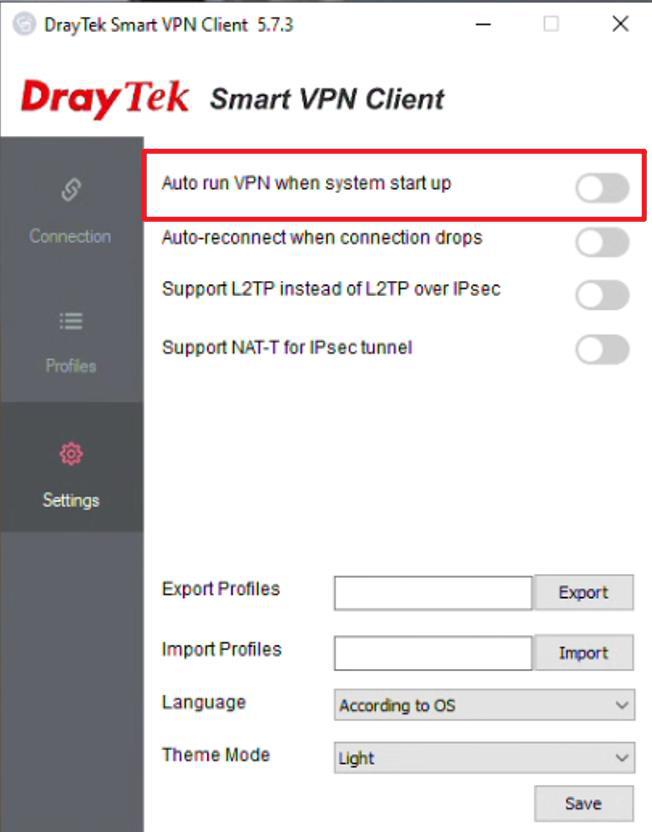
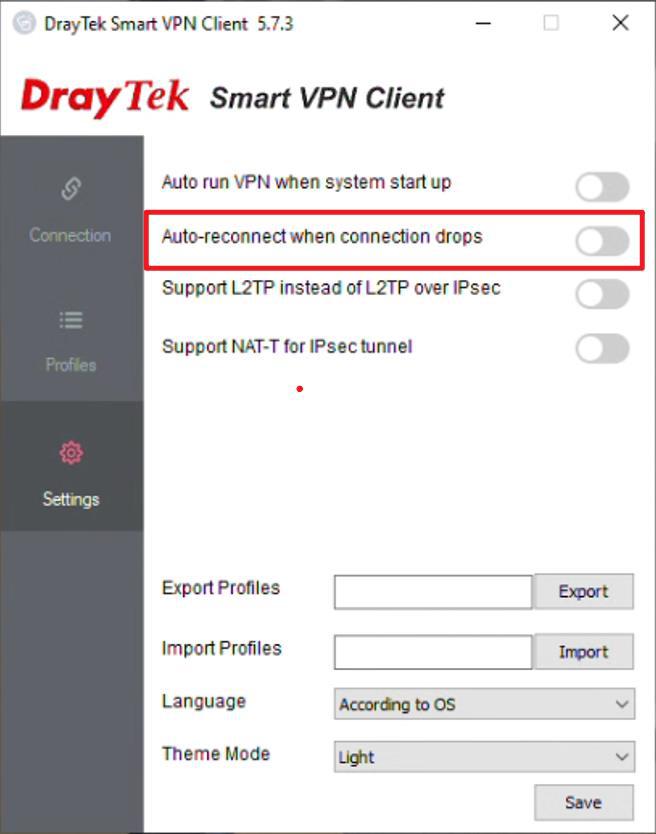
STEP 3: Enable Auto-reconnect when connection drops.
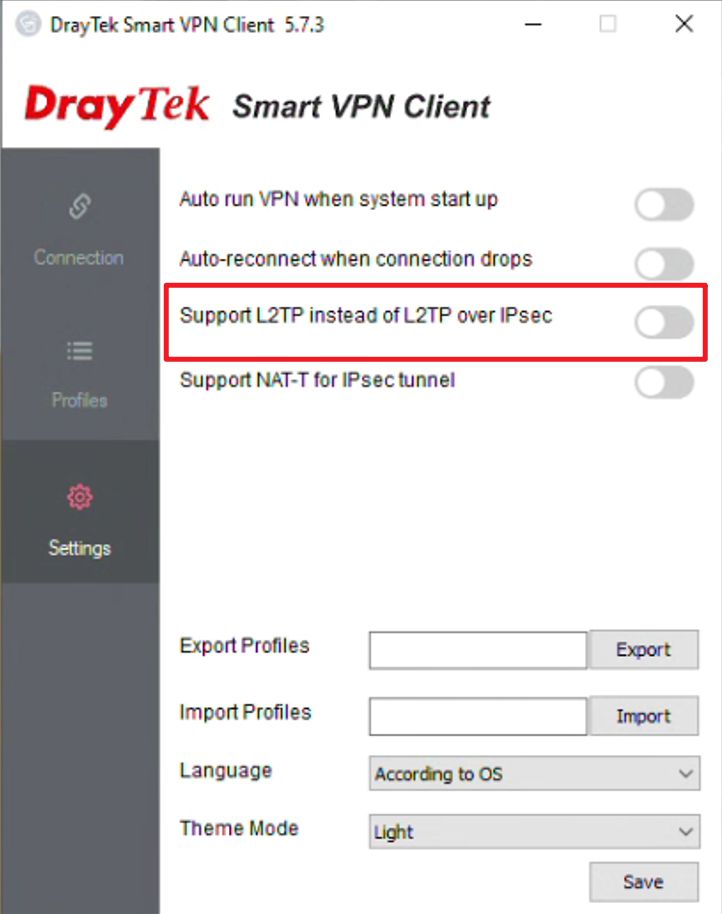
STEP 4: Enable Support L2TP instead of L2TP over IPsec.
STEP 5: Click Save.
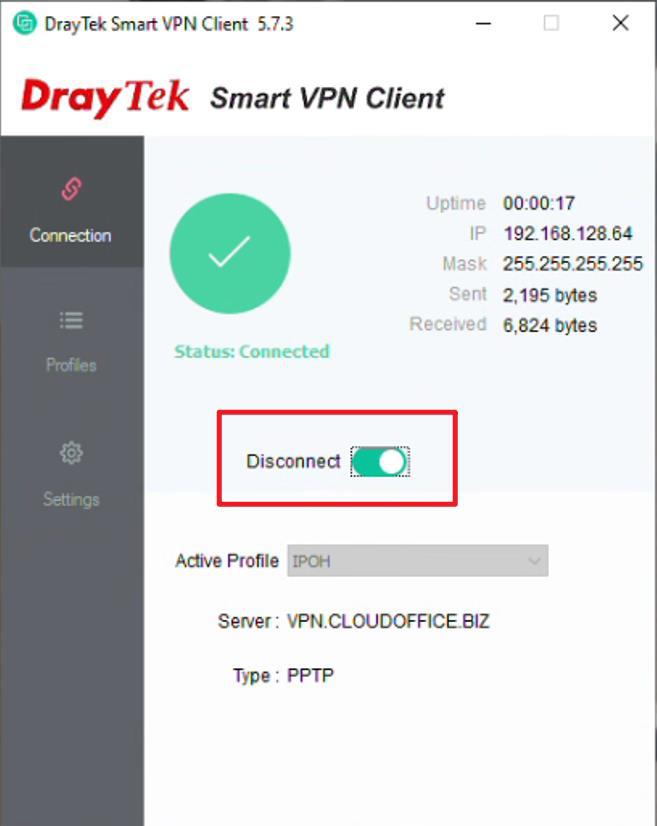
STEP 6: Connect to the VPN.
Credit By : Webstation


