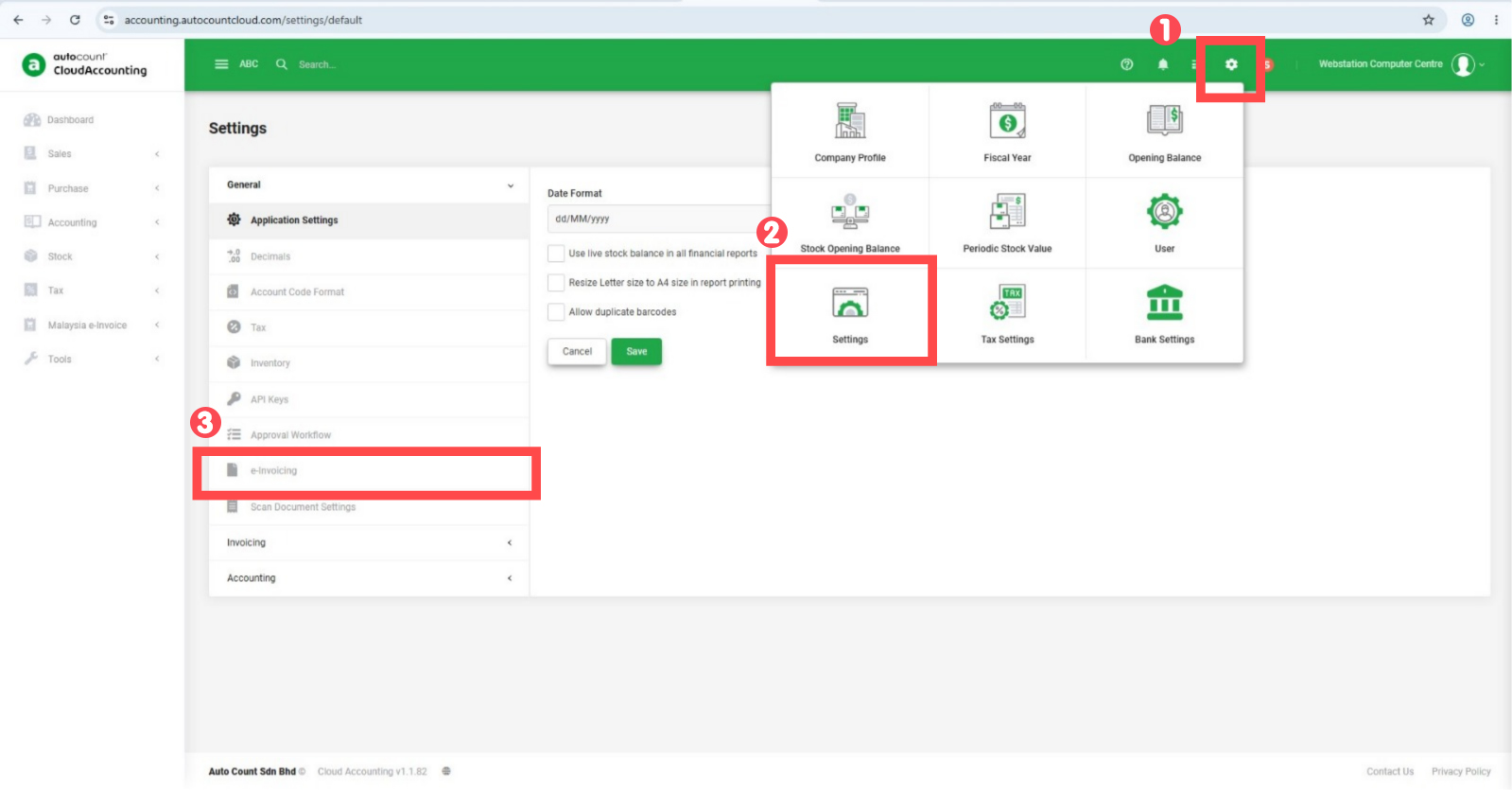
Step 1: Click at Gear Icon > Click Setting > Go to e-invoicing
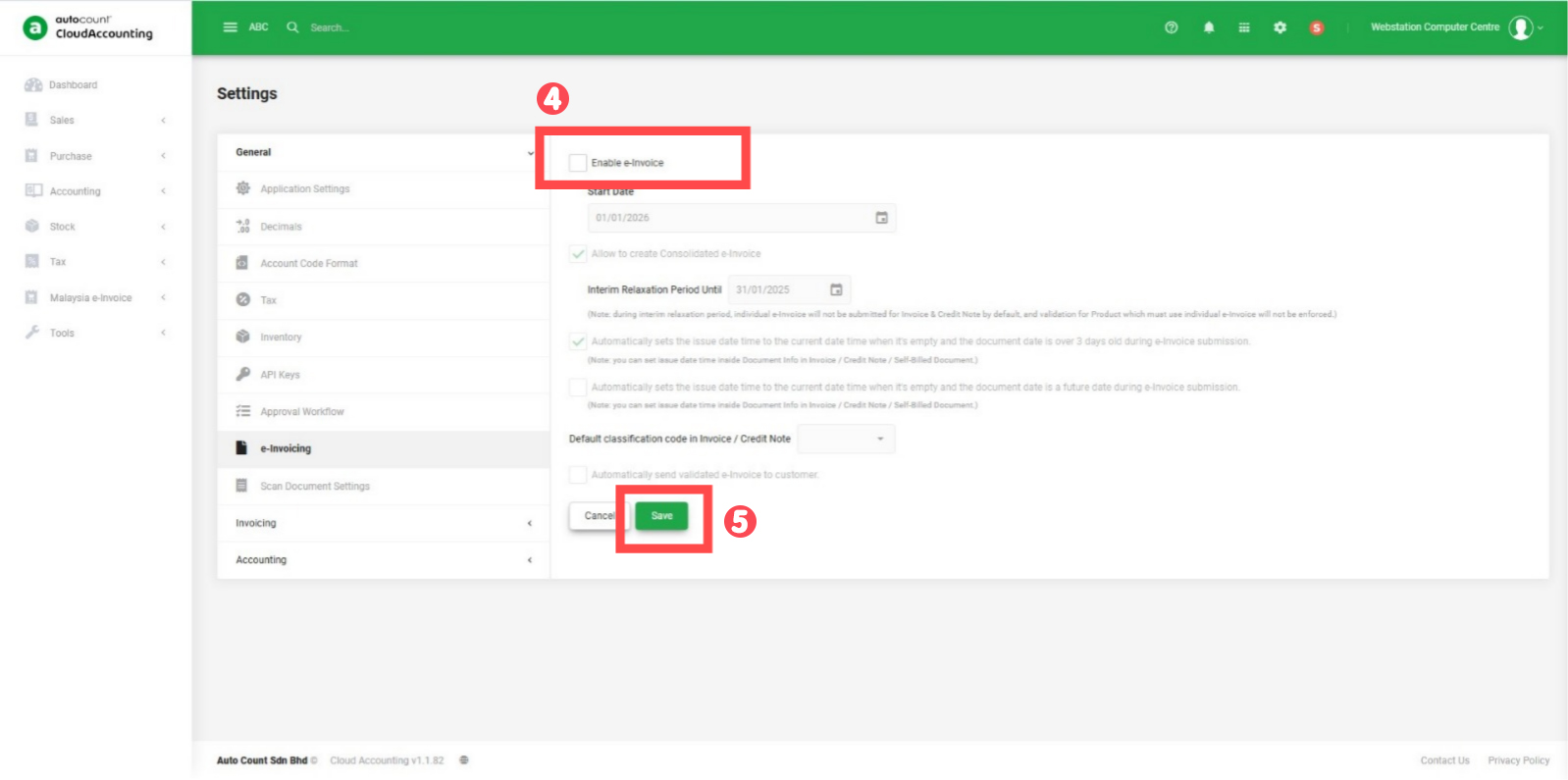
Step 2: Untick the Enable e-invoice > then click save
Credit By : Webstation
Step 1: Click at Gear Icon > Click Setting > Go to e-invoicing
Step 2: Untick the Enable e-invoice > then click save
Credit By : Webstation
Powered by BetterDocs


