Scenario #
You need to edit a submitted Invoice that was created by transferring from a Delivery Order (DO).
Solution #
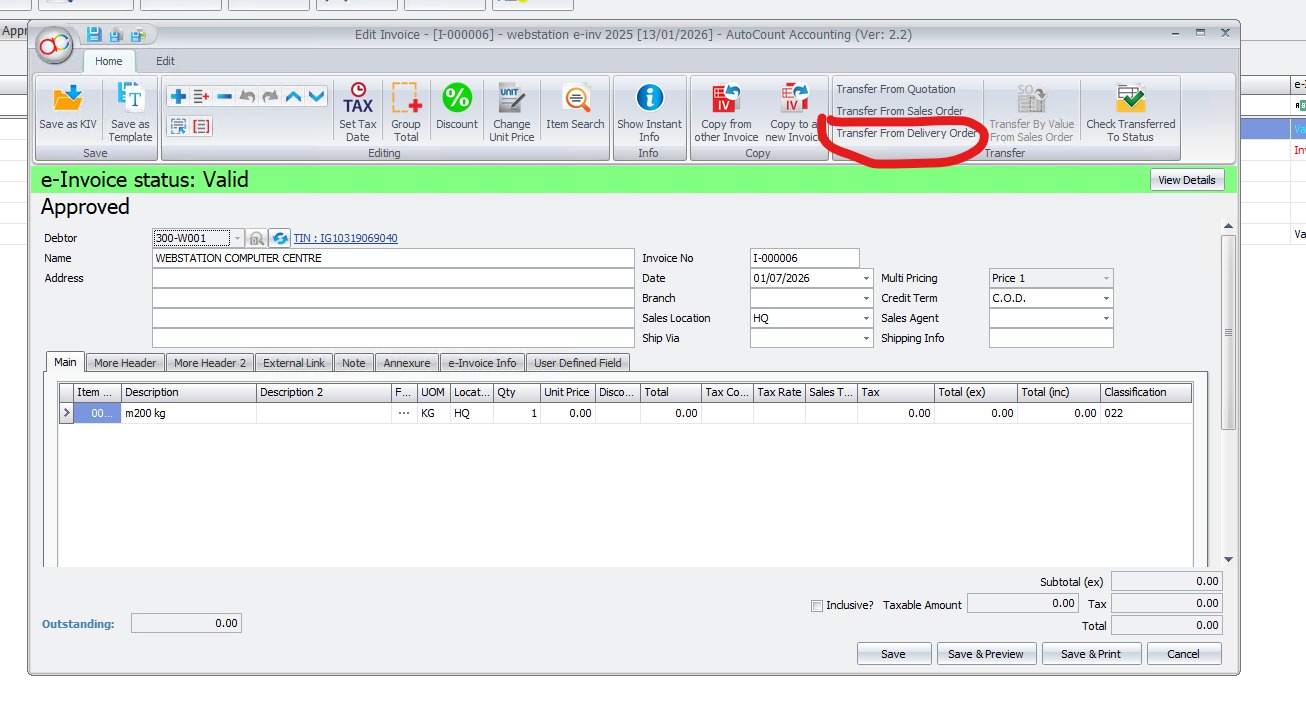
- Open the submitted Invoice and click Transfer from DO.
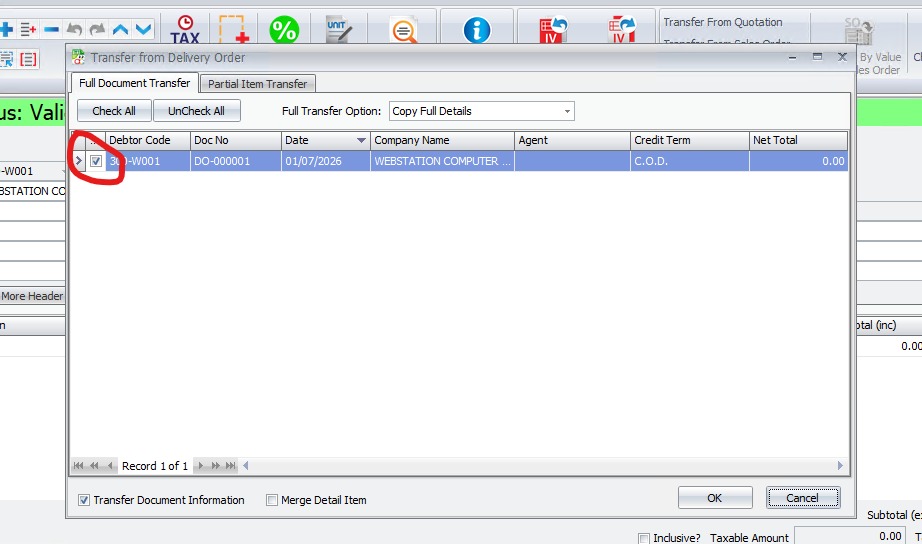
- Untick the linked Delivery Order (DO) to remove the connection
- Save the Invoice if required.Open and edit the Delivery Order (DO) with the necessary changes, then save it.
- Return to the Invoice.Click Transfer from DO again and select the updated DO.Verify the transferred information and save the Invoice.
Credit By : Webstation


