Phase 4 relaxation period is extended to 1 year from 01/01/2026 to 31/12/2026. (They are specifically indicating phase 4 only. Any businesses that implement e-Invoice after that we will have to wait for updates in their guideline or FAQ).
In this period, businesses in Phase 4 are allowed to
- Consolidate sales and submit on or before 7th of the following month
- Consolidate self-bill and submit on or before 7th of the following month
- Description of these consolidated e-Invoice to input a general description
Wholesales and retail shops are allowed to consolidate e-Invoice when selling construction materials. However, if the transaction amount is more than RM10,000, e-Invoice is still required. (This is applied to all phases of business, if you are practicing relaxation period, you can temporary ignore the RM10,000 requirement and still perform consolidate e-Invoice)
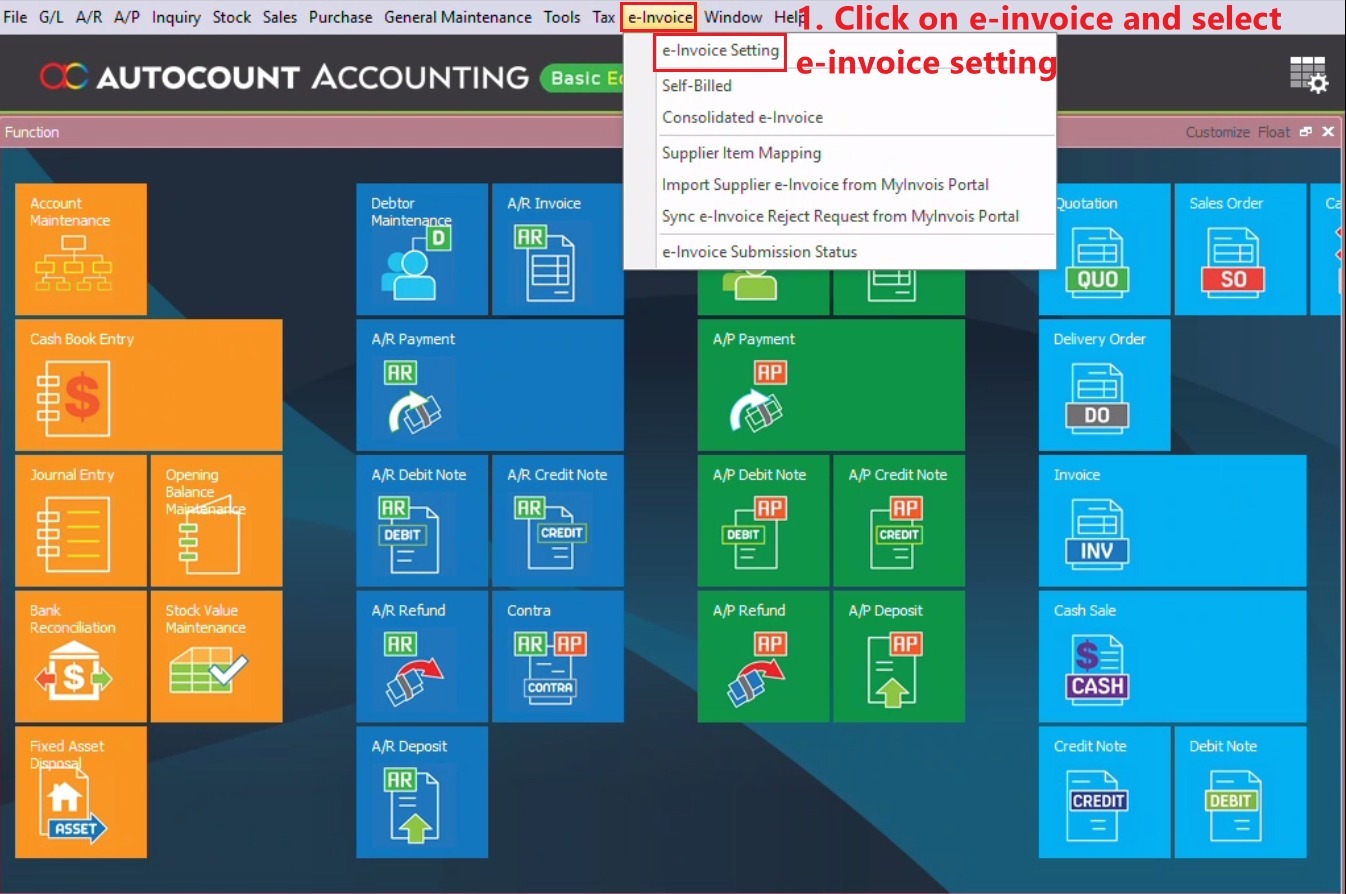
- Click on e-Invoice & select e-Invoice Setting.
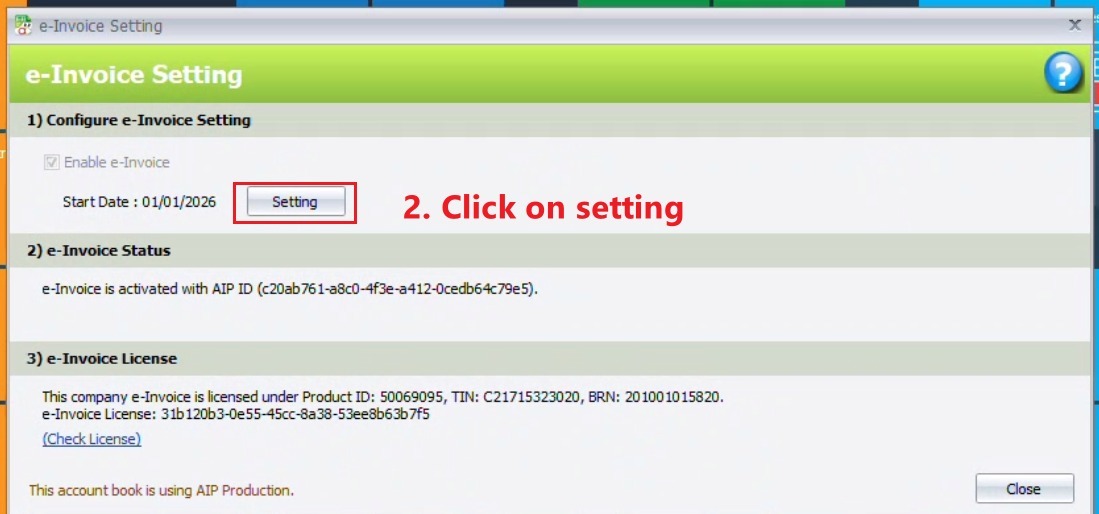
2. Click on Setting.
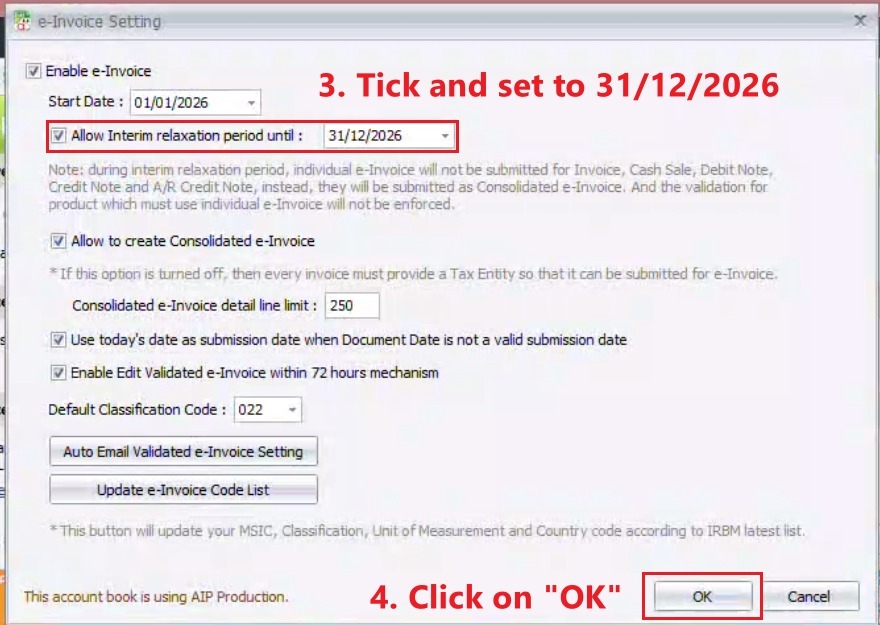
3. Tick Allow Interim relaxation period until : & Set to 31/12/2026, Then click OK.
Credit By : Webstation


